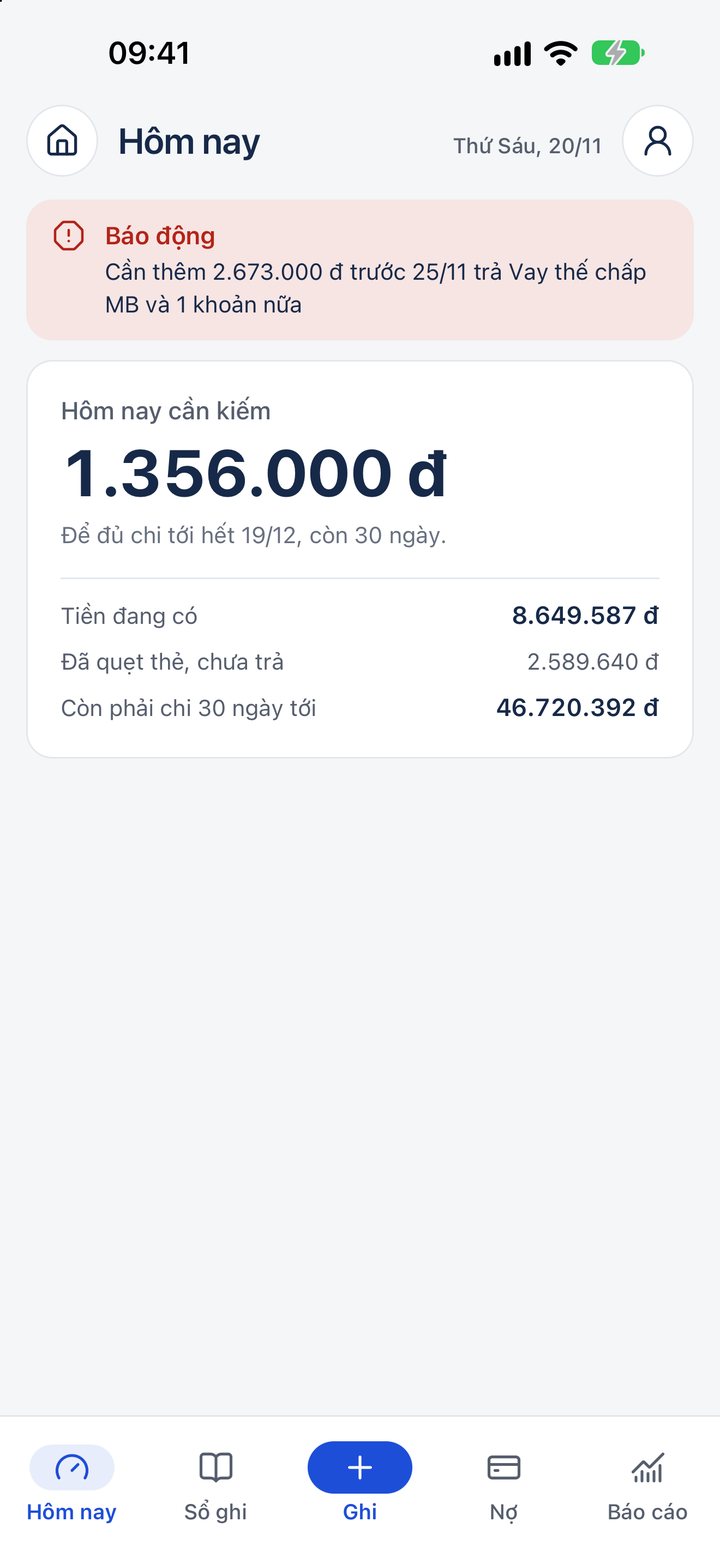
Every morning, know how much you need to earn today
Every time you record an entry, myINFO works it out again: how much you need to earn today, and how many days your money still covers.
The whole family's money and calendar
myINFO splits a goal into how much to put aside each month and each day.
Move money between wallets, follow savings books and your net worth.
Tap a card to log what you are doing; the cards you use most are suggested.
The whole family's appointments and to-dos in one place.
Share one wallet or one debt with a relative: View only, or View and record.
Your target in the morning, a reminder to record in the evening.
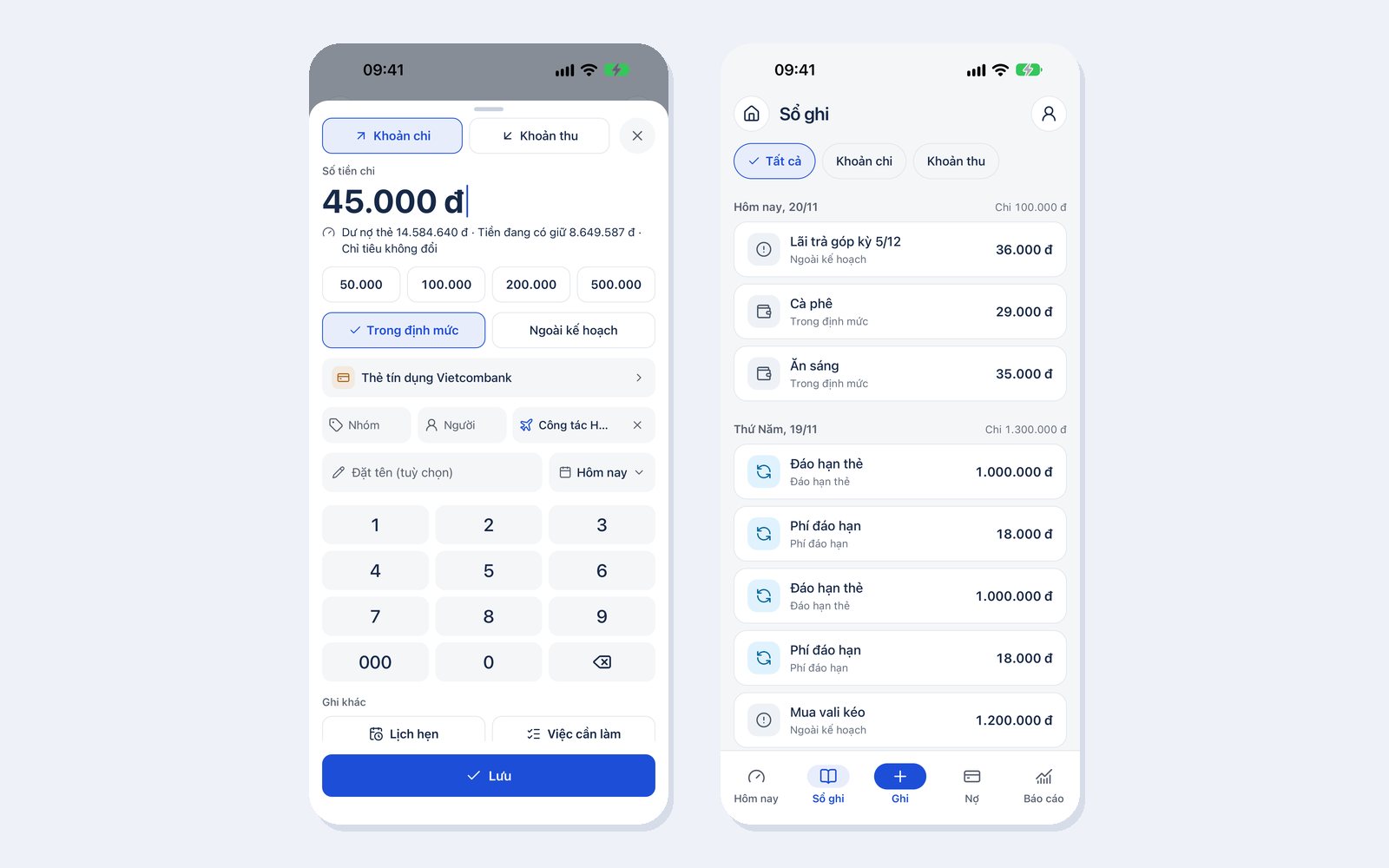
Record an entry in seconds, today's figure updates itself
The Record button in the middle of the bottom bar opens the number pad. Pick a cash, bank or card wallet, mark it income or spending, and you are done.
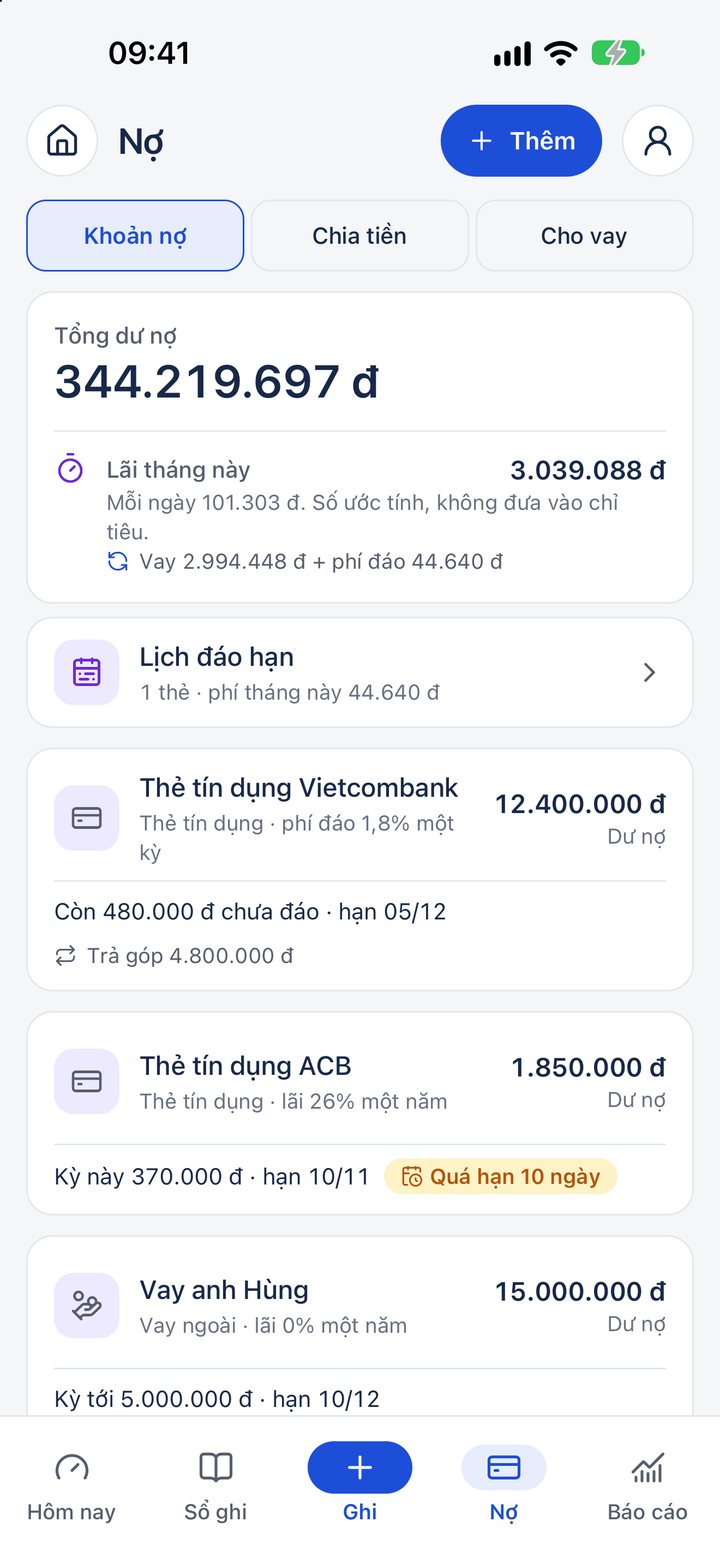
- Credit cards and loans: estimated interest, the next due date laid out
- A hint on which debt to pay first
- Rent, school fees and insurance set aside
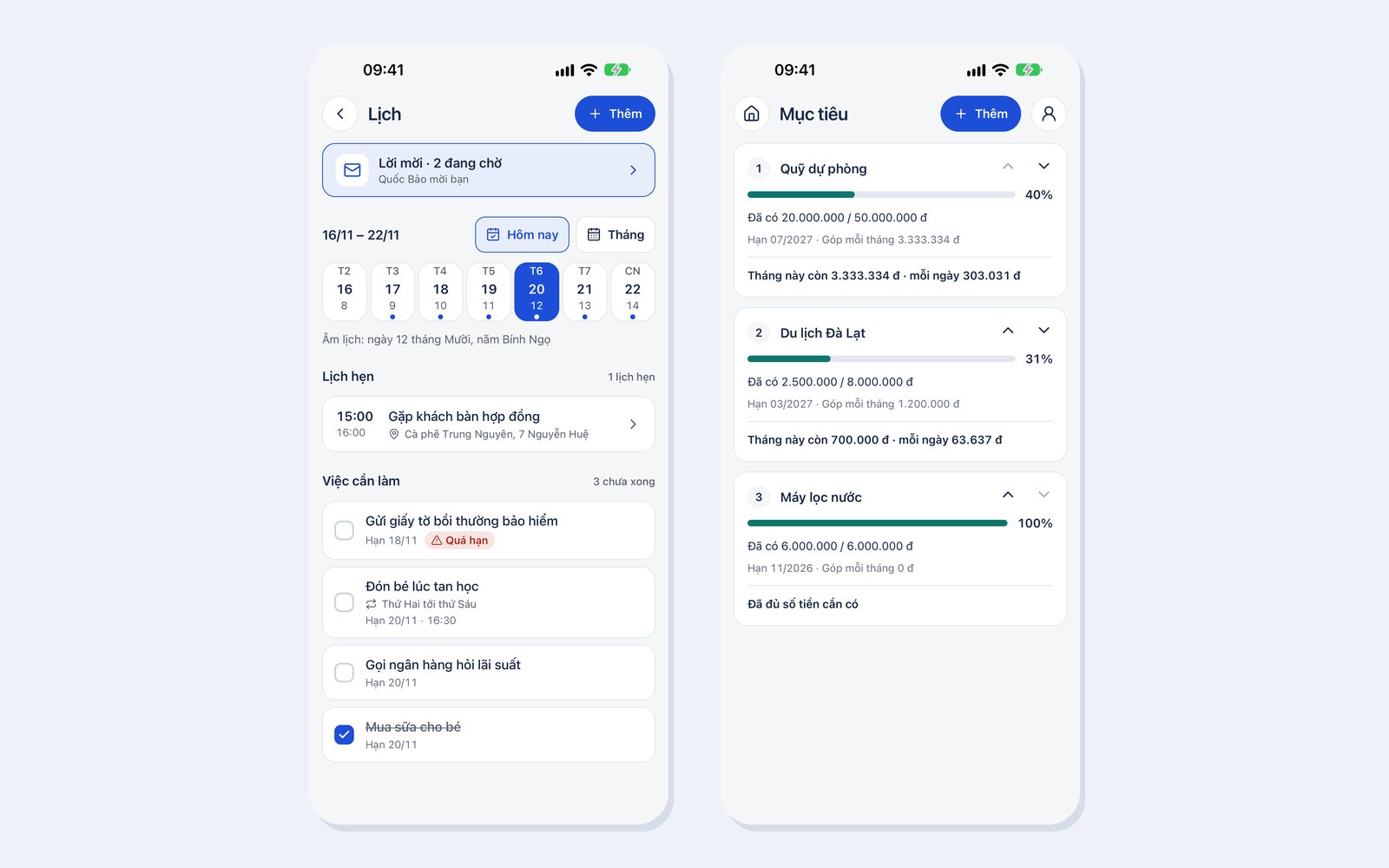
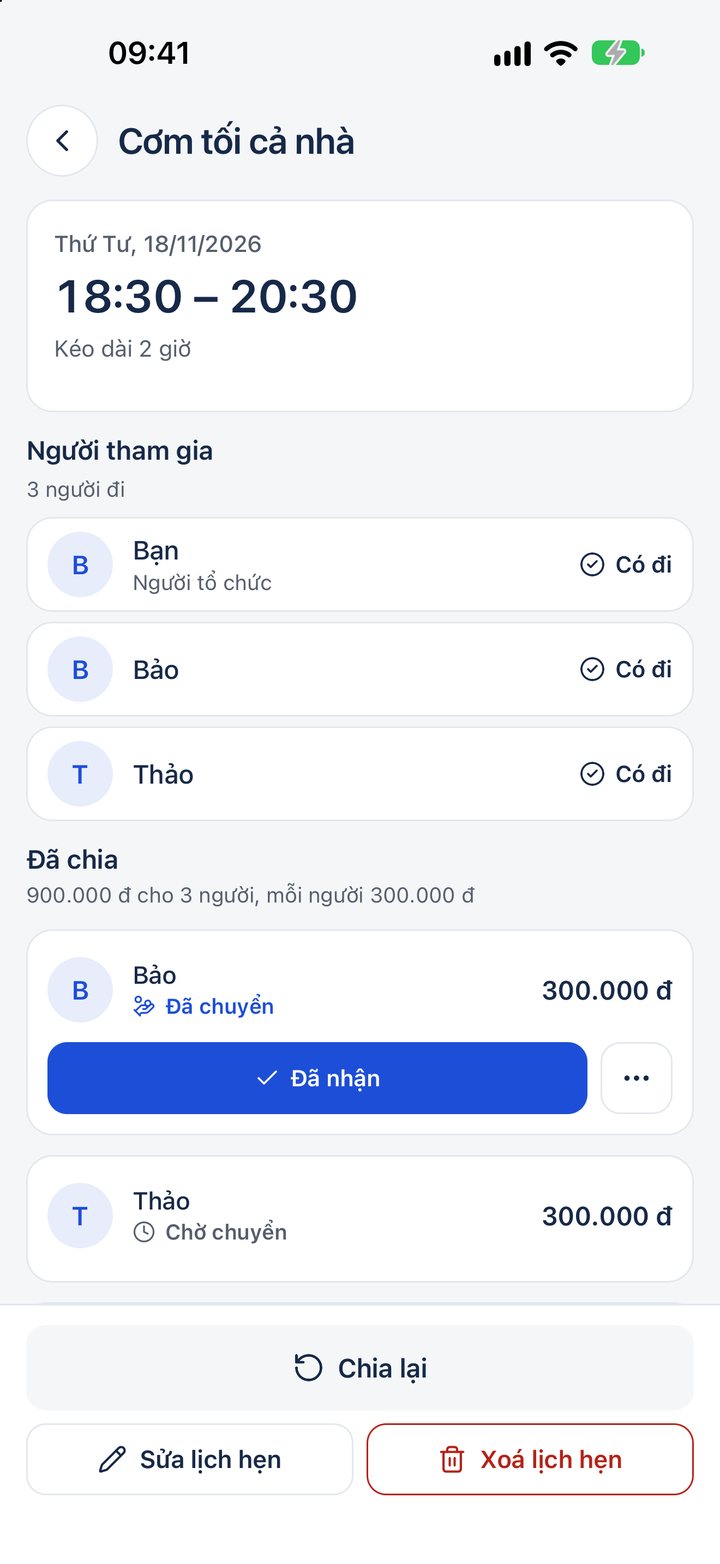
A calendar with lunar dates, and the bill split on the phone right after the meal
Death anniversaries follow the lunar calendar and are reminded ahead. Invite relatives to an appointment; they accept or decline on their own phones.
- Check who came, then split evenly or enter each share
- Whoever paid for whom becomes a debt between you, crossed out once paid
- To-dos with a reminder time
Four steps and you are ready
Your money matters stay on your phone first
From people who use it
The whole family's papers sit in one place on my phone. When I need my child's insurance number, it is right there.
I share the Family Book with my husband, so whatever one of us adds, the other sees. We no longer ask each other where the papers are.
Install the app and use it, no account to create. I keep my vehicle papers and inspection dates neatly on one phone.
Install the app and use it, no account needed
The main part is free. The myINFO plan has a 7-day free trial; cancel in your phone's Settings before the seventh day and you pay nothing.
You get the main part without buying anything
Posting and inbox duty across many channels for businesses
New on the myINFO blog

Hôm nay cần kiếm bao nhiêu: con số mỗi sáng của myINFO
myINFO tính con số «hôm nay cần kiếm» từ tiền đang có, định mức chi và các kỳ nợ sắp tới. Bài này giải thích con số ấy đến từ đâu và dùng nó thế nào.

Tiền còn đủ chi bao nhiêu ngày, và vì sao con số này quan trọng hơn số dư
Số dư tài khoản không nói được bạn sống được bao lâu. Số ngày tiền còn đủ chi thì nói được, vì nó đã trừ các kỳ nợ và chi cố định sắp tới.

Định mức chi tiêu: đặt theo ngày hay theo tháng cho dễ giữ
Định mức chi sinh hoạt là gốc của mọi con số trong myINFO. Cách chọn đặt theo ngày hay theo tháng, và cách tìm con số vừa sức.
Six common questions
Any other question, call 0777 21 11 21 or leave a request in the demo booking part.
Do I have to create an account?
No. You use it right away on your phone. You only sign in when you want to sync, change phones or use the Family Book.
Does the app ask for card or bank account numbers?
No. You only record amounts, balances owed and due dates.
Do I lose my data when I change phones?
If you are signed in, your data comes to the new phone by itself. If not, back up to a file and import it on the new phone.
How do I cancel the myINFO plan?
In your phone's Settings, under subscriptions. After cancelling you keep using it until the end of the period you paid for.
Can the whole family use it together?
Yes. A book owner with the myINFO plan creates a Family Book and invites relatives; each person uses the app on their own phone.
Does myINFO lend money?
No. myINFO is a tool for planning and tracking personal finances; it does not provide credit, lending or investment advice.